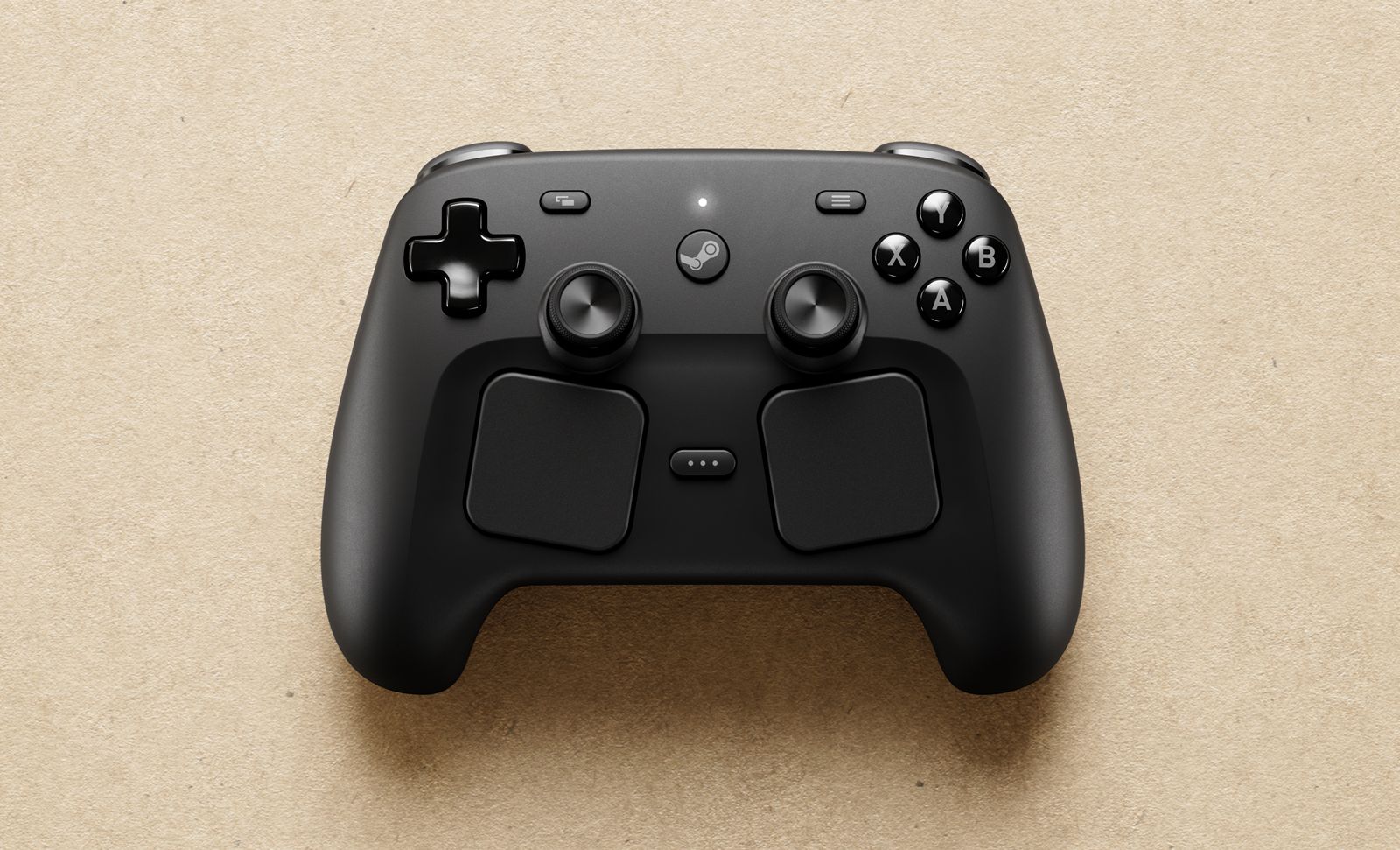
Valve’s Steam Controller is set to launch across North America, the EU, UK, Australian and Komodo regions. A successor model to Valve’s controller of the same name from 2015, the Steam Controller is a full-sized controller compatible with the Steam Machine, Steam Frame, Steam Deck and any other PC that can run Steam. Ahead of launch, AUTOMATON conducted an email interview with the development team at Valve to learn more about the controller and how it was designed.
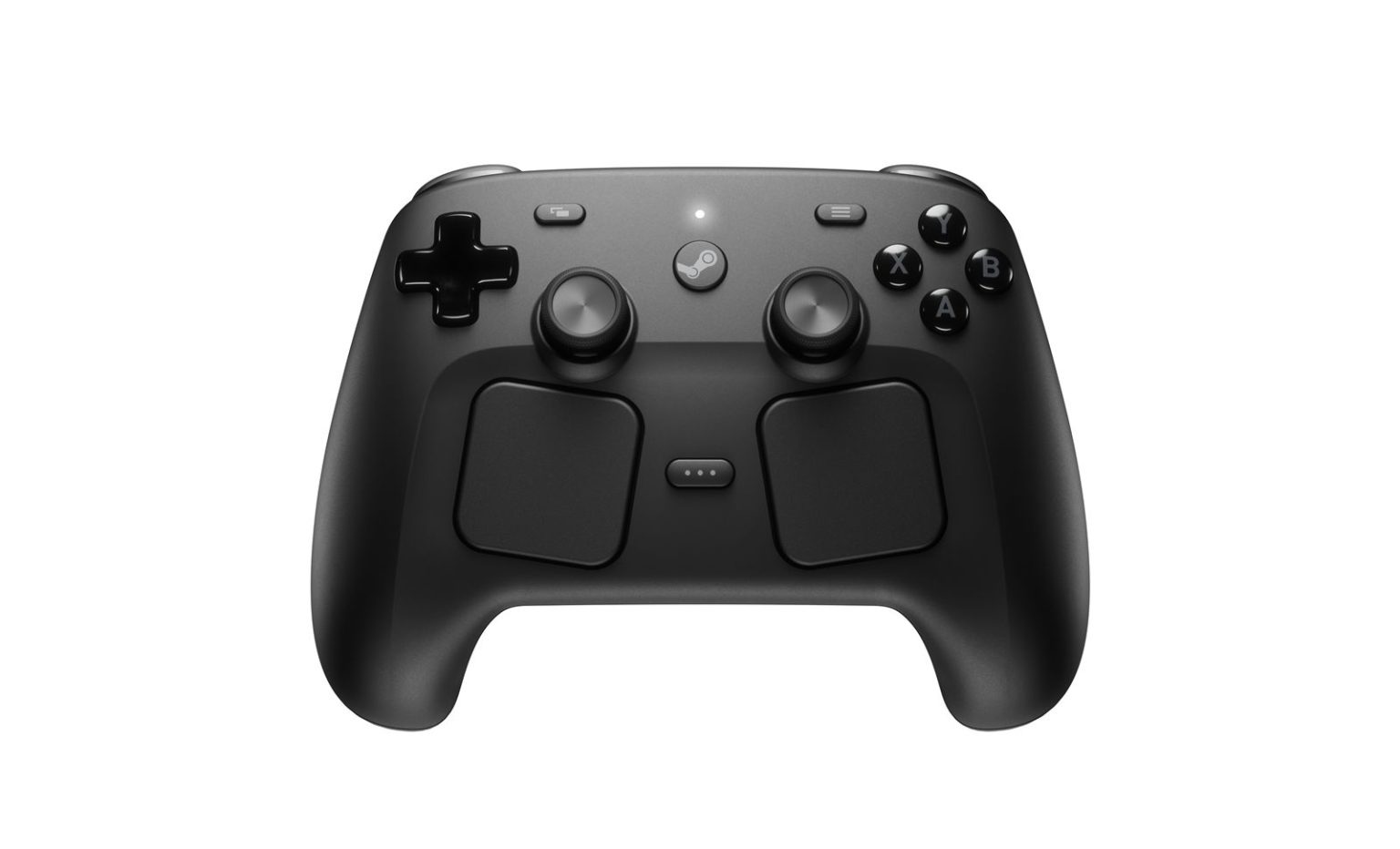
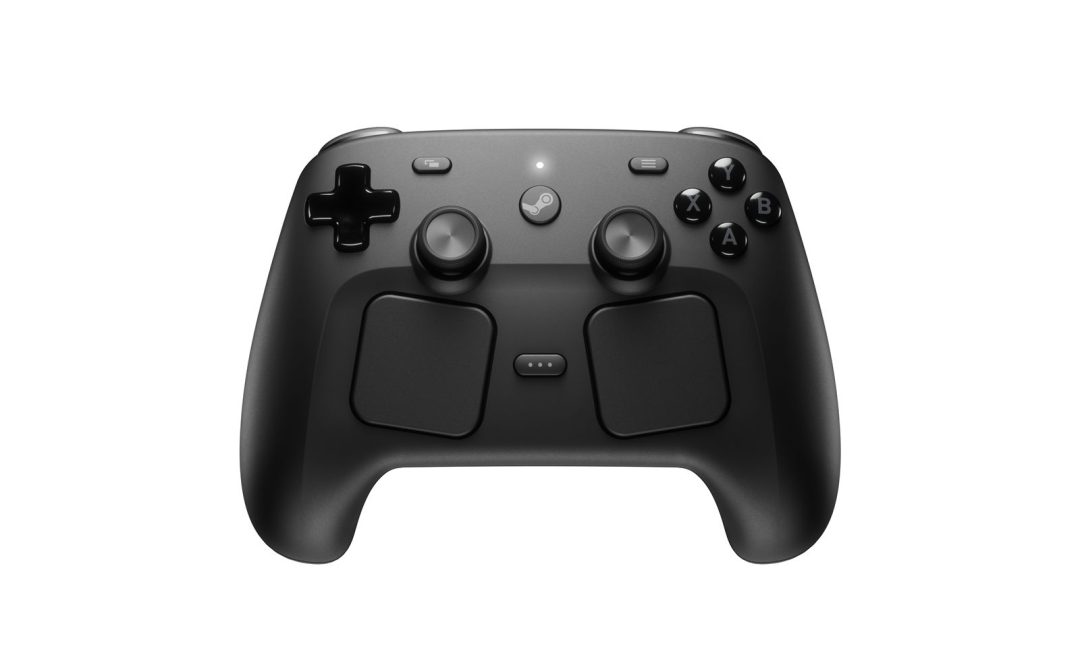
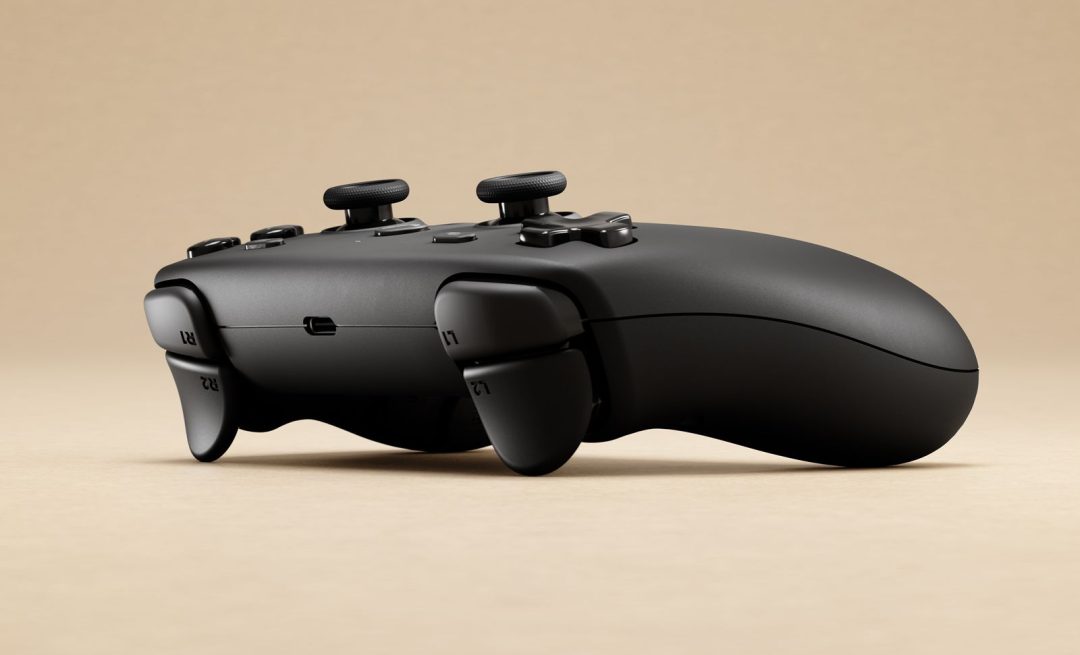
Sharing core foundations with the Steam Deck, the Steam Controller is equipped with all inputs necessary to play any game on Steam. Among its most distinctive features are square trackpads located below the analog sticks (incorporating haptics), next-gen magnetic thumbsticks, and grip-enabled gyro. The controller supports wireless Bluetooth connectivity, wired USB connectivity, and a proprietary wireless standard. For the latter, a pre-paired device called the Steam Controller Puck is provided, simultaneously serving as a charging station.
Without further ado, we bring you an interview with the development team, including:
- Steve Cardinali (hardware engineer)
- Jeff Mucha (hardware engineer)
- Jeremy Slocum (human factor engineer and psychologist)
- Lawrence Yang (designer)
- Pierre-Loup Griffais (programmer)
*Since Valve does not use job titles, note that the text in parentheses indicates the specific area of responsibility of each individual
―What led you to develop a new Steam Controller?
The original Steam Controller was a controller designed to show that you can play mouse and keyboard- focused games with a controller, as long as you have the right inputs. We believe it did that well. It did not, however, prioritize gamepad/controller-focused games, as it lacked some of the traditional gamepad inputs.
With the Steam Deck, a major goal was to provide a fully featured controller as well as all the advanced features that the original Steam Controller provided, allowing users to comfortably play all games on Steam, whether it be controller-first or mouse/keyboard-first games.
With the success of the Steam Deck, we showed that, yes, it’s possible to do both in a comfortable and ergonomic way. We also started seeing many gamers taking the Steam Deck and docking it to use it as a living room gaming system. However. when they would sit down on their couch, they would need to grab a different controller that didn’t provide the same advanced inputs as the Steam Deck did, so it wasn’t an ideal experience for them. With the ergonomic success of the Steam Deck, as well as the docked Deck limitation, we knew it was time to create the new Steam Controller.
―What were your top priorities when developing the new Steam Controller?
Our main driving goals for the controller were, in no specific order, to:
- Provide a first-party controller that can allow gamers to play all games on Steam
- Maintain input parity with Steam Deck so it felt natural going back and forth between the two
- Optimize for the controller form factor to make it as ergonomic as possible
- Provide a solution for docked Steam Deck users
―The new model comes with some significant changes, like the addition of analog sticks and a D-pad, as well as the relocation of the haptic trackpads – which previously handled both stick and D-pad functions – to the bottom of the controller. Was this influenced by feedback you received in response to the previous Steam Controller?
Yes. We learned from the original Steam Controller that the next device we made should provide all the same advanced inputs but also be a full featured controller (with 2 joysticks, a D-pad, etc).
A major focus on Steam Deck was ergonomics. How do we get all of these inputs into usable positions for the vast majority of gamers? It took a lot of prototyping and iteration – from 3D prints, to machined prototypes and functional prototypes – to determine how to best lay out those features.
For the new Steam Controller, we were able to highly leverage the learnings from that work done on Steam Deck. Our main challenge was taking the relative positioning we landed on in Steam Deck and translating it to the controller form factor. It still took TONs of ergonomic development (again, 3D prints, machined prototypes and functional prototypes) as well as internal and external playtesting to get this right and feeling comfortable in a controller form factor.
―Were there any other areas where you applied the “lessons learned” from the previous model?
We’ve mentioned a lot already, however, one thing that we haven’t mentioned yet is the Puck. The original Steam Controller had a wireless receiver in-box as well, but it had a low number of users who actually used it.
We spent a lot more time on this Steam Controller trying to create a wireless receiver that was a good experience to use to encourage more users to get the benefits of fast, reliable, wireless gaming. This led to the development of the puck solution, which allows for a reliable wireless connection as well as a convenient way to quickly charge your Steam Controller.
―Conversely, are there any features of the original Steam Controller that you’ve carried over to the new model?
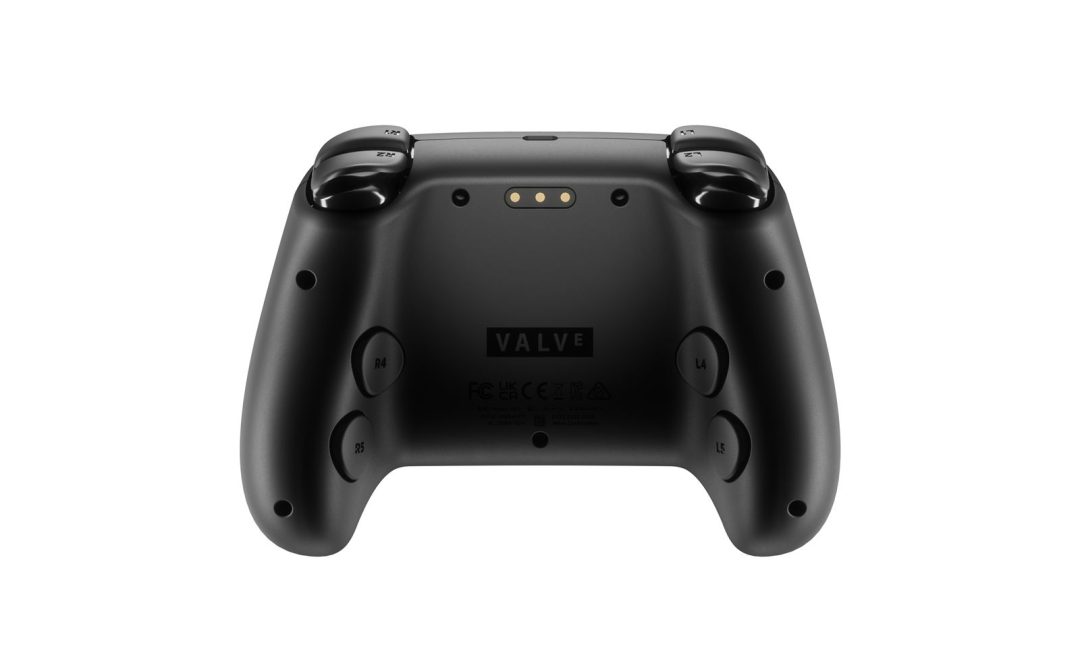
Advanced controls for providing alternate ways to play mouse and keyboard-focused games is something we strongly believe in. We made sure to carry over trackpads, gyro, and grip buttons. Spending time getting comfortable with them can yield drastic performance improvements compared to traditional joystick-only devices.
―I get the impression that the previous Steam Controller was designed for users with slightly larger hands and stronger grip strength (due to features like the stiffer grip paddles and the large haptic trackpad). Was the new model designed with Steam’s expanding user base in mind?
Yes, definitely. Again, the true development path of the new Steam Controller really goes like this: 2015 Steam Controller → Steam Deck → 2026 Steam Controller. You can see many of those usability considerations first appear in Steam Deck before being carried forward to 2026 Steam Controller.
―Are there any designs or features of other companies’ pads that you use as a reference or view as competition?
In some ways, we are standing on the shoulders of giants – gaming pioneers who carved out what it means to be a video game controller and did a lot of the early experimentation that set the stage. Everybody knows who they are. We’re huge fans and are appreciative of their work, as it gave all controller developers a foundation to stand on and build off of.
That being said, when coming up with feature sets for our products, our focus is generally on “how can we best help gamers” (based on conversations with them and what we hear from the community), we’re much less concerned with “what is everybody else doing.”
―How did you arrive at this crab or spider-like design and layout for the controls?
Since input parity and familiarity between Steam Deck and Steam Controller was one of our main goals, the layout is a direct translation of the Steam Deck’s controls into a smaller, three-dimensional form factor. That said, the approach angle of a controller is far more pronounced than on the Steam Deck.
To ensure optimal comfort and proper ergonomics, the final design positions the trackpads on a lower level, while a crisp edge clearly defines the handles and interactive areas in the cleanest way possible.
As a result, the touchpads are angled (clocked and canted) and positioned to follow the natural palmar abduction of the thumb. The Steam and QAM buttons are centrally placed on the controller to maximize reachability based on their in-game functionality. When grouped alongside the joysticks, these features create a strong and distinctive identity.
―The trackpads are not only easy to use, but also offer superb haptic feedback. How did you achieve such delicate tactile sensation?
The trackpad haptics are pulled from a palette of over 800 signals created specifically for the Controller based on precision laser measurements. Each trackpad is qualified at the factory with a custom haptic test system based on miniature triaxial accelerometers which was created for the Controller to ensure the end customer receives high quality and the design intent.
In general, we’ve been prototyping and refining our haptic implementation since 2012. It was a novel way to provide tactile feedback at the time, and we’re happy to see that it’s been becoming industry standard.
―The Steam Controller Puck now combines wireless and wired connectivity with charging functionality. How was this design chosen?
To be clear, the Puck does not have a Wi-Fi Ethernet interface. Initial internal playtesting with the controller wirelessly (which was only BT-capable early on due to limitations of early prototypes) showed a highly variable experience for our colleagues. People’s home machines and wireless environments are highly variable, and we were not able to provide the consistent wireless experience we want with just BT. On top of that, BT latency gets higher and higher as you add more devices (i.e. multiple controllers)
The Puck is a 2.4 GHz proprietary protocol wireless receiver that is designed to be fast and reliable, which solves the problems listed above. It has the added benefit of allowing the controller to “just work” out of the box, which was a huge benefit and something we prioritized.
There was an additional problem: traditional 2.4 GHz receivers, when put directly into the back of a PC, tend to have a lot of interreference from neighboring USB devices. So, we knew we needed to also get the receiver away from the computer as well.
The Puck being a magnetic charging station came from many conversations and brainstorming on how to solve these problems in a way that is a good experience for gamers. After some quick mock ups and prototypes. we saw something that had potential for an amazing user experience and never looked back.
―I was surprised that, even though it’s still in beta, I could play a wide variety of games smoothly and comfortably using the Steam Controller with basically no adjustments. Did you take any special measures to achieve this?
Being quick and easy to use out of the box has been something we’ve highly prioritized as a team. The Puck is a big part of the controller working wirelessly without much hassle.
On top of that, there is over a decade’s worth of effort in Steam to support all controller and make them easy to use. We naturally benefit from that hard work as well.
Steam Input and layouts are one of the major things that make controllers seamless to use. Steam has a bunch of built in layouts based on controller type and game type, and we provide tools for Developers to customize the layouts for what they see is the best experience by default. The community (both developers and gamers) have helped make things run smoothly for Steam Deck and, as a result of the input parity with the Deck, the Steam Controller as well.
―What was the most challenging aspect of developing and designing the new Steam controller?
Getting the ergonomics right. We spent the first year of development focusing on that only. Answering the question: how do we make it feel good in the hand for all hand sizes? There are a lot of inputs on this device, and we had to stick within the realm of human hand size. Our team slogan during that time (coined by our resident human factors expert, Jeremy) was “millimeters matter.”
―As individuals, what are your respective favorite features of the Steam Controller? Also, how does it compare to the previous model in your personal opinion?
As a team, we’re proud of this Steam Controller. Both in the device itself and in the journey that the first Steam Controller set us off on. The first controller laid the groundwork for this one (as well as the Steam Deck!)
Each team member will give you a different answer. Here are a few from the team:
“The Puck has a soft spot in my heart. I spent a long time tinkering with magnets and am really happy with where it ended up.” – Steve Cardinali
“I really like the feel and sound that the Puck makes when it lifts itself off the table and attaches to the controller to charge the device. Also, when I go to use the device again, I can pop it off with one hand and grab the controller quickly and with very little effort.” – Jeff Mucha
“For me, it is the customization. Being able to tune a particular game’s input for how I think it can best be played is almost a game within itself. So much power within a comfortable and ergonomic design” – Jerremy Slocum
“I like the grip buttons, they’re not in the way when I don’t want to use them, but they’re there for me when I want them” – Camerin Hahn (hardware engineer)
“I like the layout of the buttons, everything is just where my hands feel like it should be” – Rich Karstens (hardware engineer)
“The amount of inputs we were able to fit into a comfortable form factor while maintaining visual balance and how familiar it feels to the Steam Deck” – Benoit Collette (Industrial designer)
[Interviewer, writer, editor: Sayoko Narita]
[Editor: Ayuo Kawase, Amber V]